Competency management for growing teams

Skill matrices and career
levels
for teams
from 
engineering to sales

Know your team’s skills as AI reshapes every role
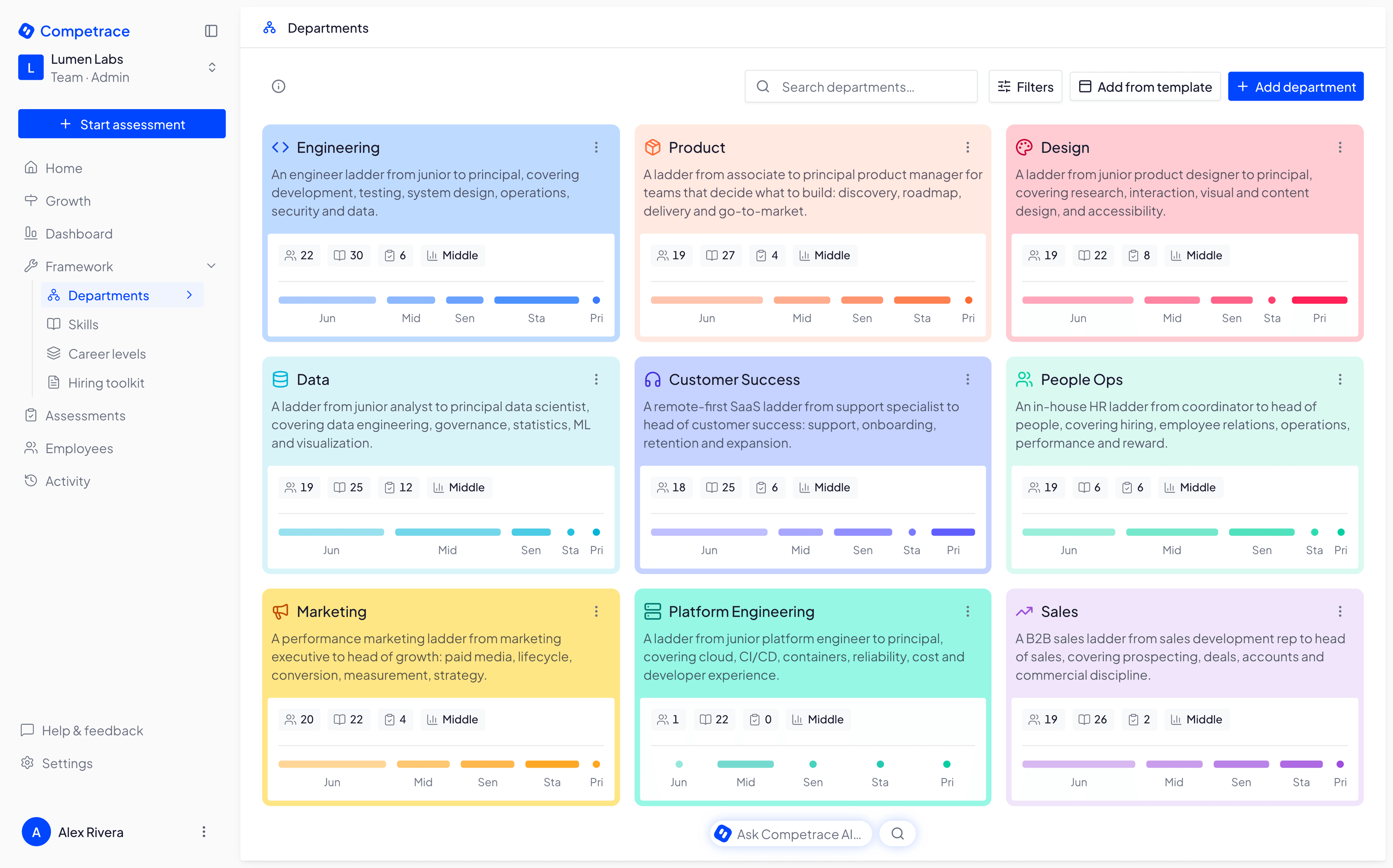
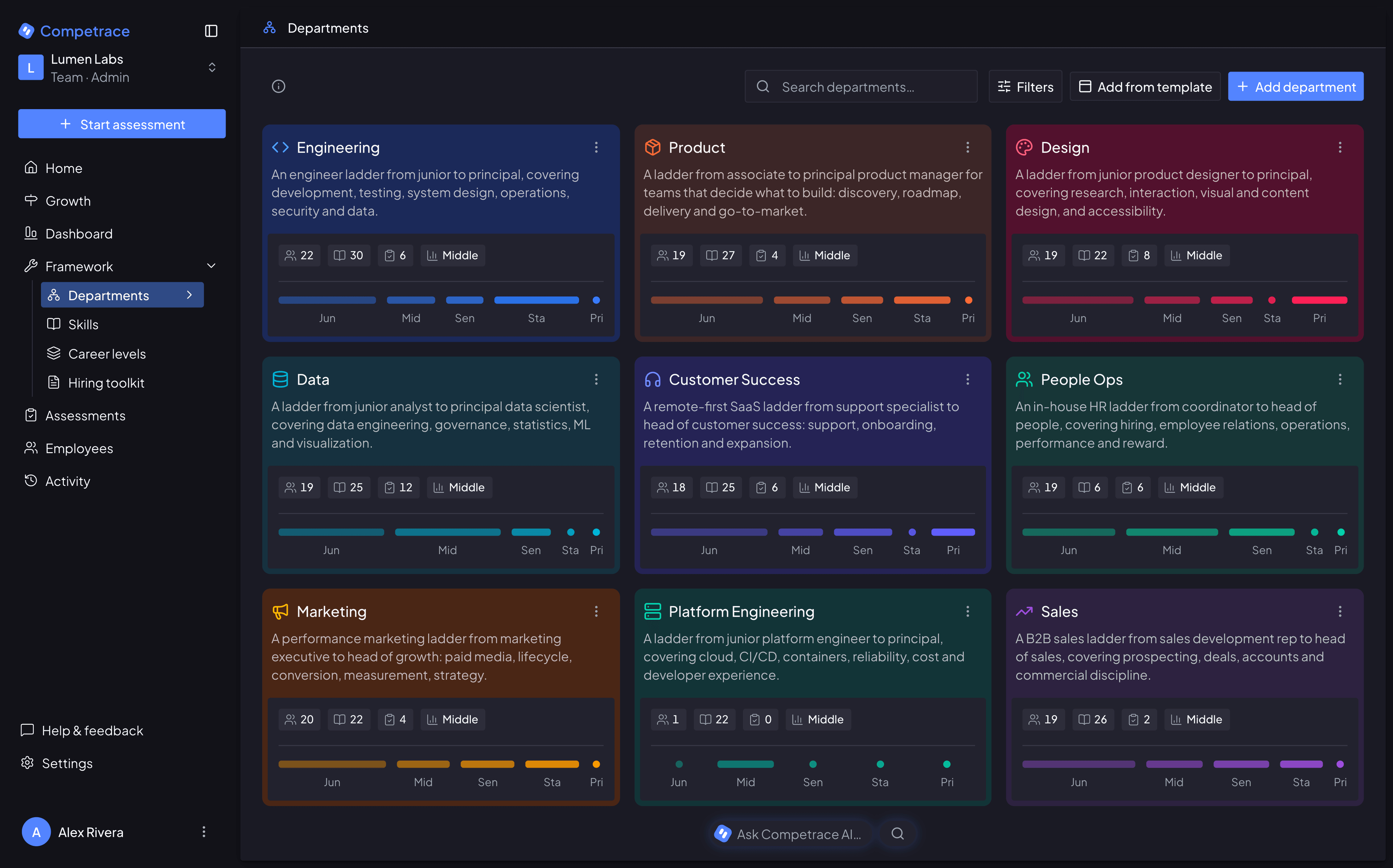
The Competrace departments view: a grid of department cards — Engineering, Design, Data, Marketing, Sales, Customer Success and more — each showing its headcount, how many skills and assessments it tracks, its average career level, and a bar for every level from Junior to Principal.

Why now

39% of workers’ core skills are expected to change by 2030.

Keeping up starts with knowing which skills your team has, and which it needs next.

Source: World Economic Forum, Future of Jobs Report 2025 (Insight Report)

AI changed the job. Your skills matrix didn’t

Competrace keeps it current in minutes, not days

Without Competrace

  • Who knows React? Good luck finding them.
  • Gut feelings drive promotions, not data
  • No one knows what 'Senior' actually means
  • Company wants X, employees think Y
  • 20+ hours/month on spreadsheet hell
  • AI took over tasks. Nobody updated the role
  • Your best engineer just quit — saw no path up

With Competrace

  • Need a React expert? Click -> done.
  • Evaluations based on facts, not feelings
  • Career levels: a checklist, not a guess
  • Company wants X, everyone’s already on it
  • From spreadsheet hell to dashboard heaven
  • Roles updated as the work changes
  • Your best engineer got promoted, not gone

Features

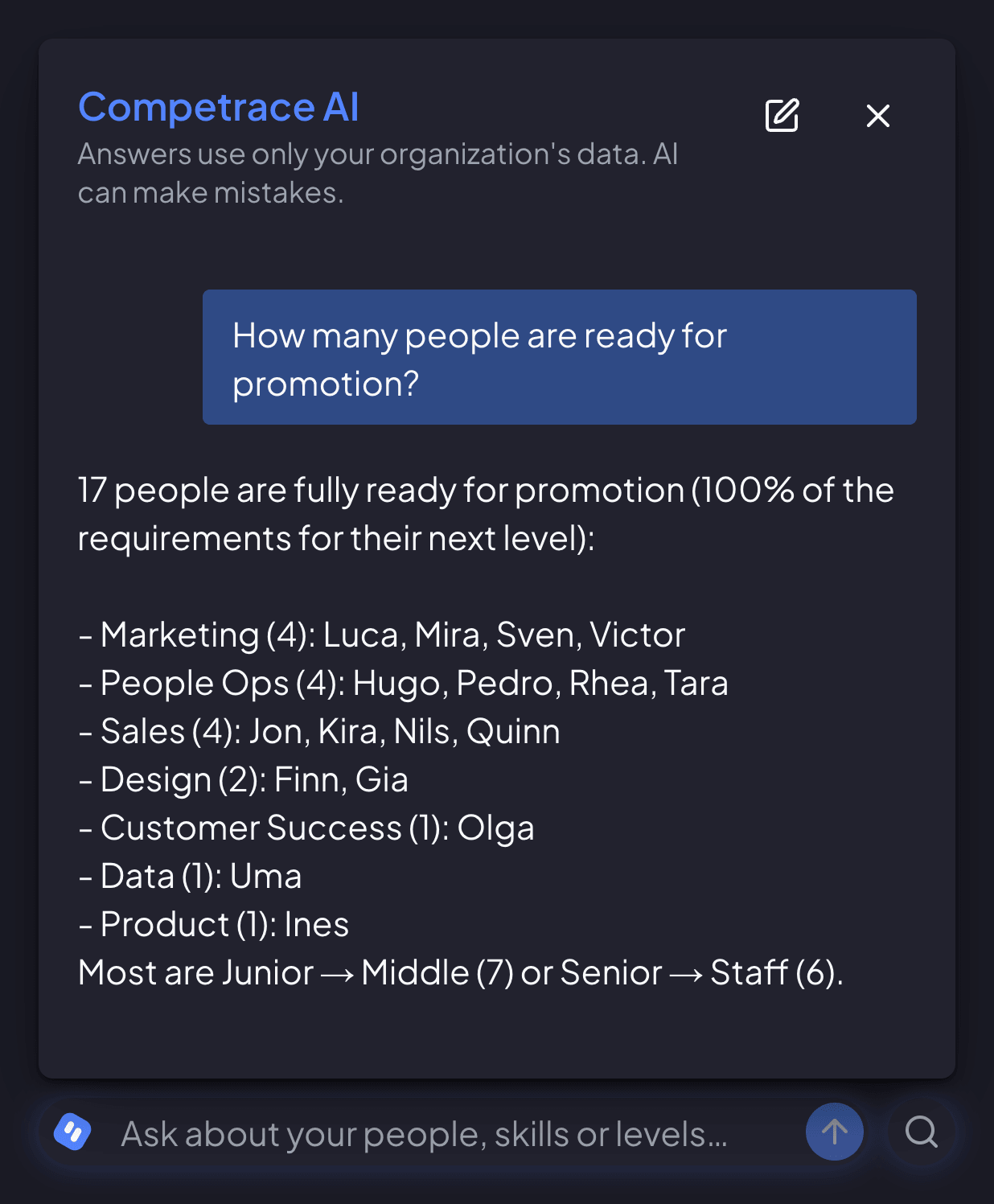
Know who is ready for promotion

Readiness is the share of next-level skills already met, and at 100% completing the assessment offers the promotion.
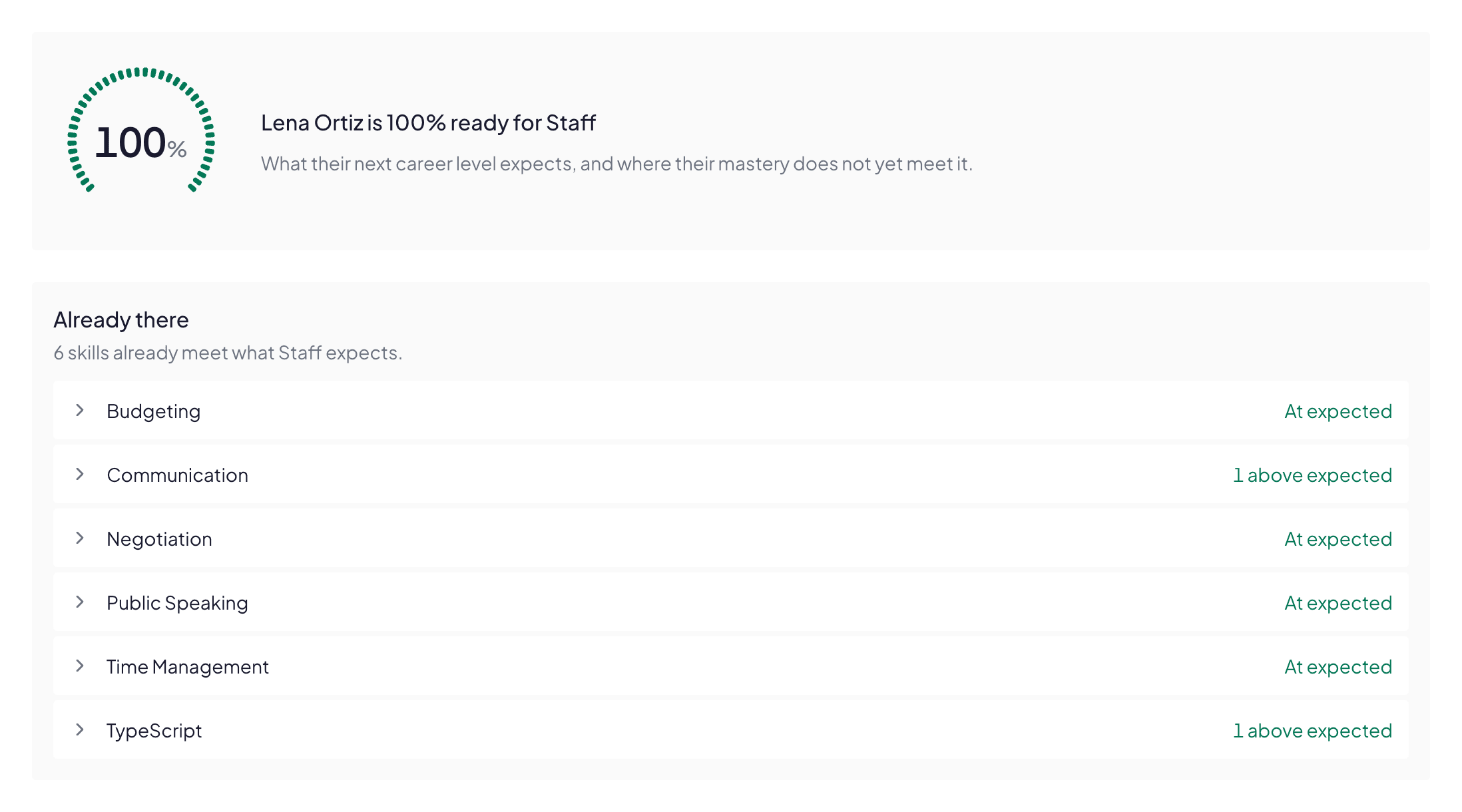
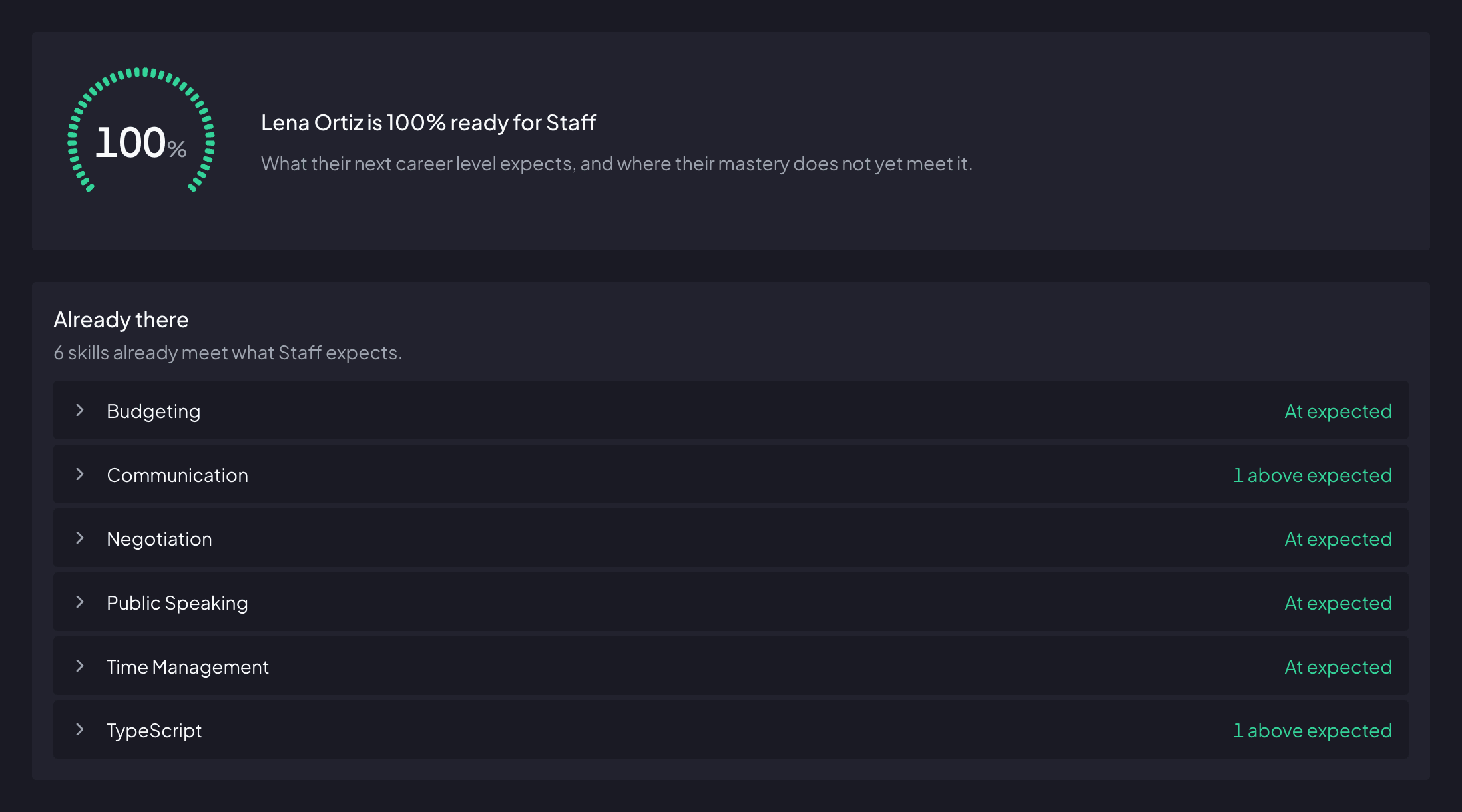
The top of one employee’s Growth page: a notched readiness gauge filled the whole way round and reading 100%, beside the line Lena Ortiz is 100% ready for Staff. Under it, the Already there list: six skills that already meet what Staff expects — Budgeting, Negotiation, Public Speaking and Time Management at expected, Communication and TypeScript one above.

Benefits

With AI on routine work, skills are your team’s edge

Open career ladder

with clear visibility into growth paths

Know which skills to build next

with a private self-check

Milestone-based career

not time-based

How it works

Start with a pilot team in 30 minutes

1
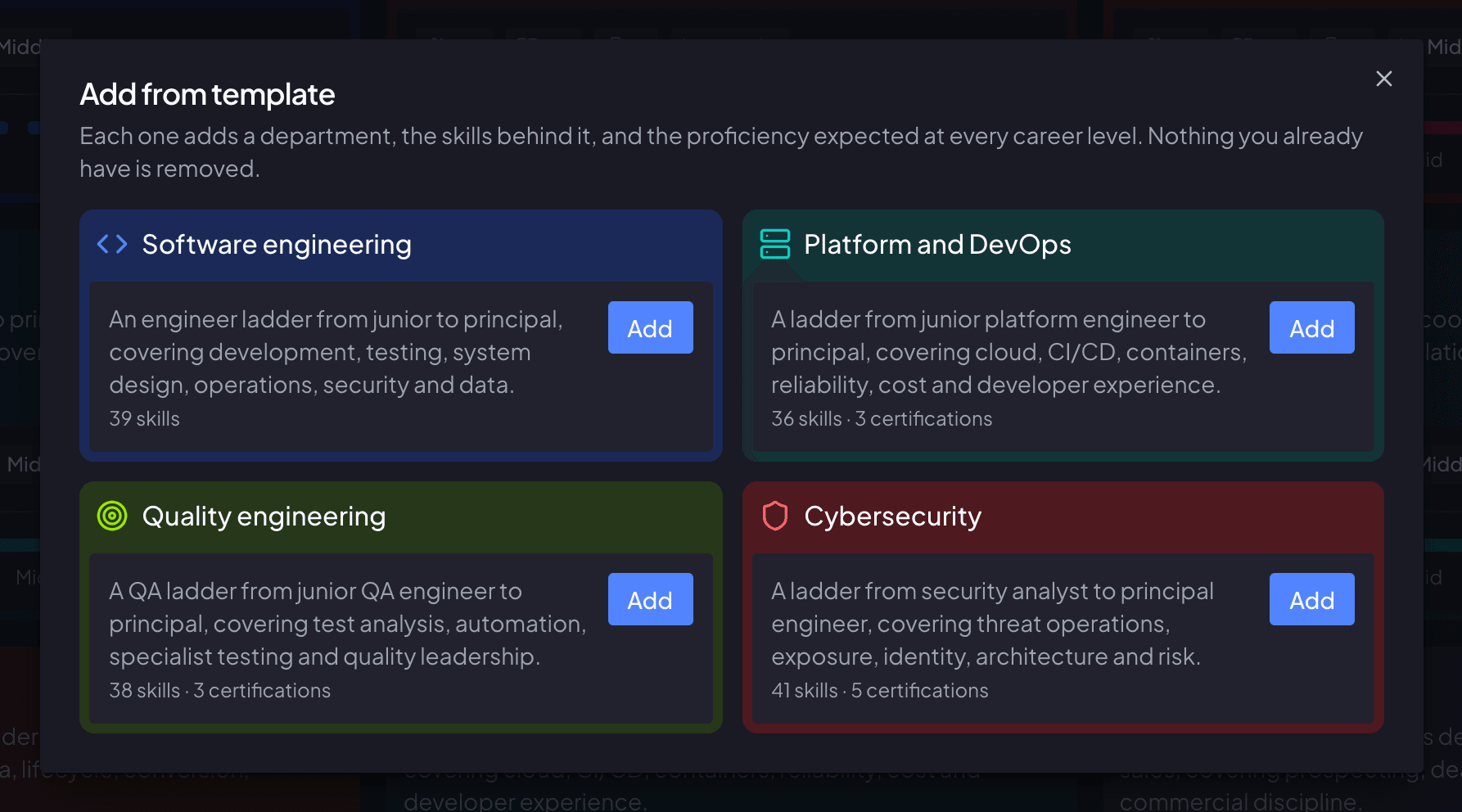
A dialog for adding skills to a department, open over its board. Six entries from the shared library - five skills and one certification - are laid out as cards carrying a one-line description and the departments already using them; three are ticked, two are grayed out as already added and one is still unticked. The footer button reads Add 3 skills.

Set up your framework

Define career ladders, skills, and competencies tailored to your organization.

Integrations

Competrace to anything, through Zapier.

  • New hires arrive on their own.

    Someone joins in your HR tool, and Competrace sends their invite.

  • Moves follow.

    Change someone's department or level in your HR tool, and Competrace follows.

  • Leavers leave.

    Mark someone as gone in your HR tool, and they're removed from Competrace. Admins are never touched.

  • Results go where your team works.

    When an assessment is finalized, send a summary to Slack or back to your HR tool.

  • Updated Employee in BambooHR, then move them to their new department
  • Employee Updated in Personio, then update their level
  • Employee Left in HiBob, then remove them
  • Assessment Finalized, then notify your team in Microsoft Teams

Pricing

Simple plans that grow with you

Free

Perfect for small teams or a pilot department

$0forever
  • Up to 10 users
  • Competency frameworks and career levels
  • Multi-assessor and self-assessments
  • Skill gaps and promotion readiness
  • Skills matrix and team dashboard
  • Job descriptions from your framework
  • Role-based permissions
  • Zapier integration and public API
  • Basic AI quota

Team

For growing teams

$50/mo excl. tax
  • Everything in Free
  • Extended AI quota
  • Zapier integration with higher invite limits
  • Up to 50 users included
  • +$0.50/user over 50 users
  • Priority support
Read the full pricing details

Pricing calculator

users
Recommended planTeam
Your price
$50.00/month excl. tax

Team plan covers your team

FAQ

Straight answers about how Competrace works

Because AI takes over routine tasks, roles change faster and what people are valued for shifts with them. Employers expect 39% of workers’ core skills to change by 2030, according to the World Economic Forum’s Future of Jobs Report 2025. So you need to know which skills your team has, which each role now needs and where the gaps are. In Competrace you keep each department’s skills and career levels up to date as roles change, assess people against them, and see their skill gaps and promotion readiness.

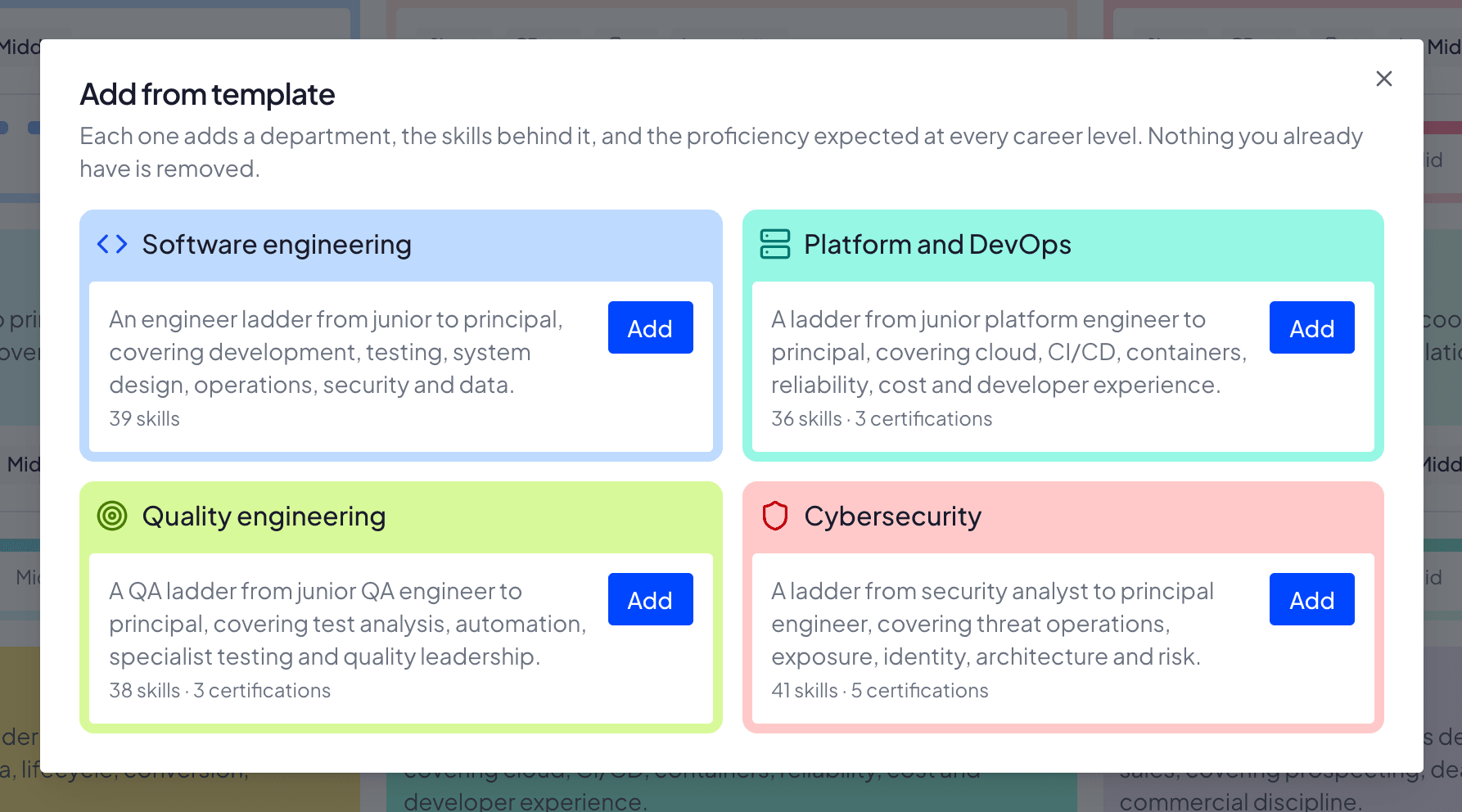
Yes — the framework is yours. Your admins write the skill catalog, spell out what each mastery level means for a given skill, name every rung of the career ladder, size the mastery scale to between 5 and 10 named levels, and set the expected mastery for every skill at every level, per department. A new workspace arrives seeded with career levels, a five-level mastery scale and a starter skill library, so you begin by editing rather than staring at a blank page.

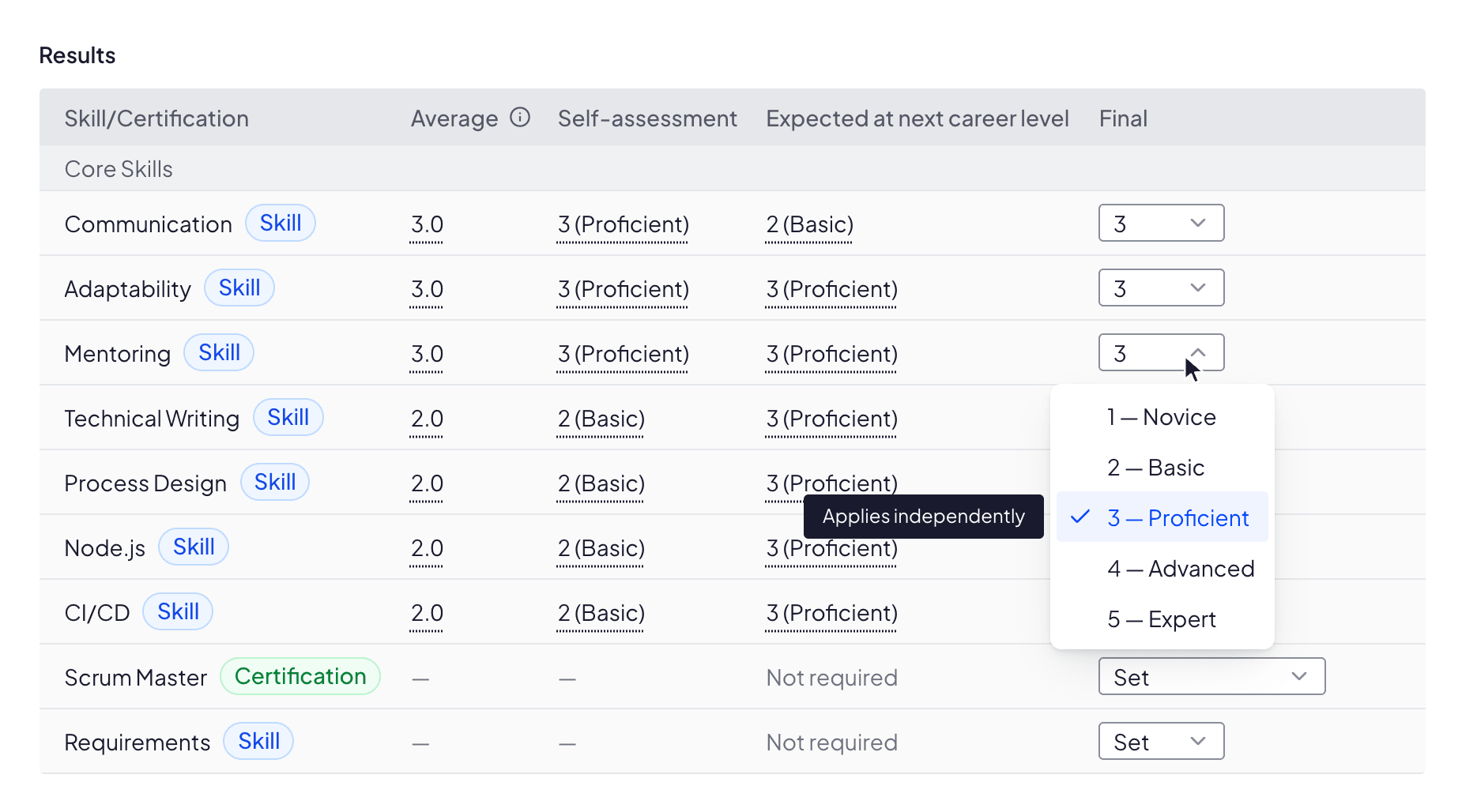
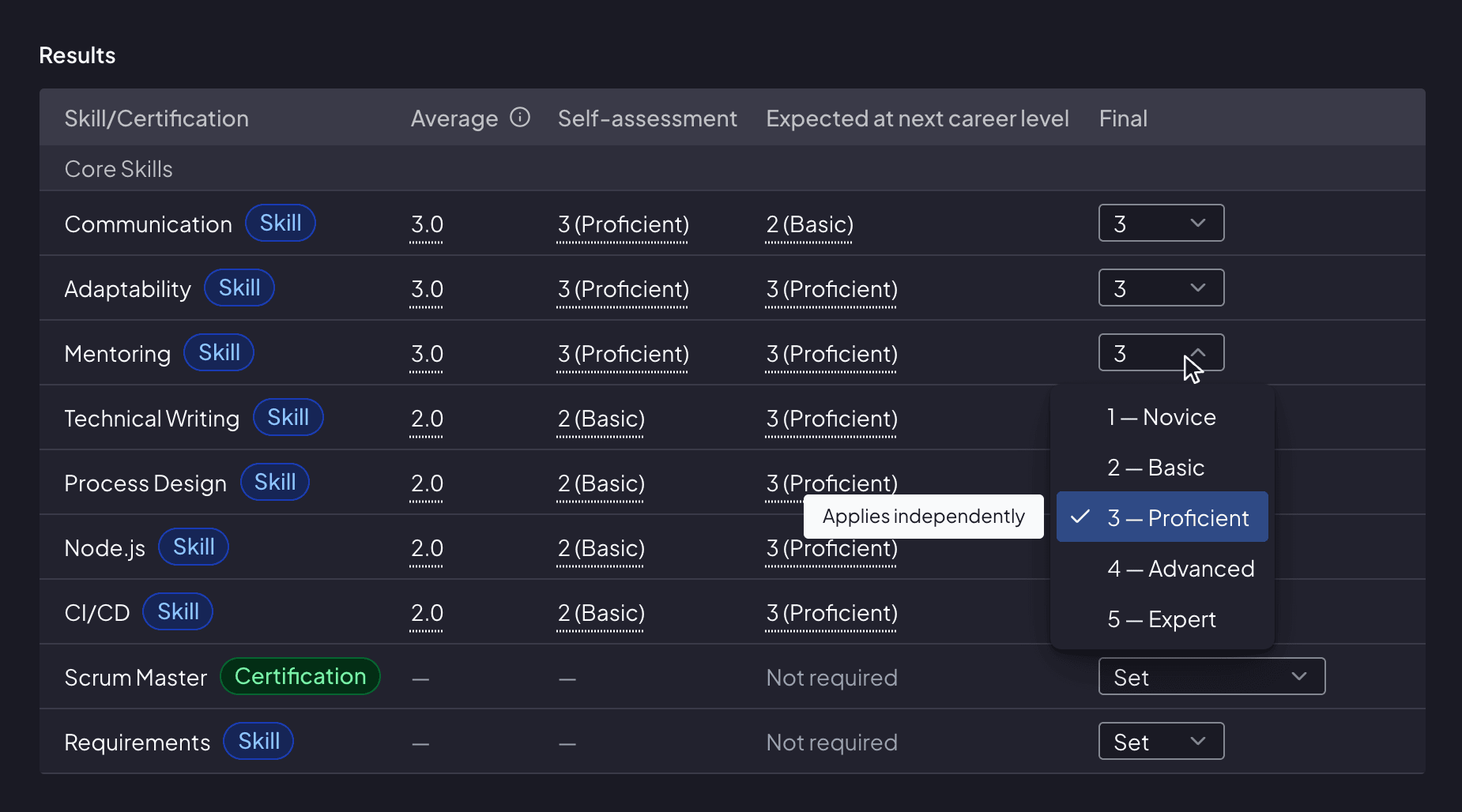
Yes. An admin assigns as many assessors to one employee as they like — including the employee themselves, which is how self-assessment works — and each rates the required skills independently. The results table then puts the peer average, the self-assessment and the next career level’s expectation side by side. A whole team’s assessments can be started in one go, sharing the same roster of assessors.

Yes. Written feedback is pooled with no name, no number and no label — not even a stable “Assessor 1” that could be tracked across page loads — and that stripping happens in the database, not just in the interface. Assessors cannot see each other’s ratings, or even who else was asked. The person being assessed never sees individual assessor submissions. Your own admins, who set the assessment up, see the peer average (self-assessment left out), the self-assessment, the expected level, the final mark and who has submitted. The app shows no per-assessor breakdown, but whenever only one peer rating is in — one peer assessor, or only one has submitted so far — the average is that person’s rating. The written comments reach them unattributed too, and only once every assessor has submitted.

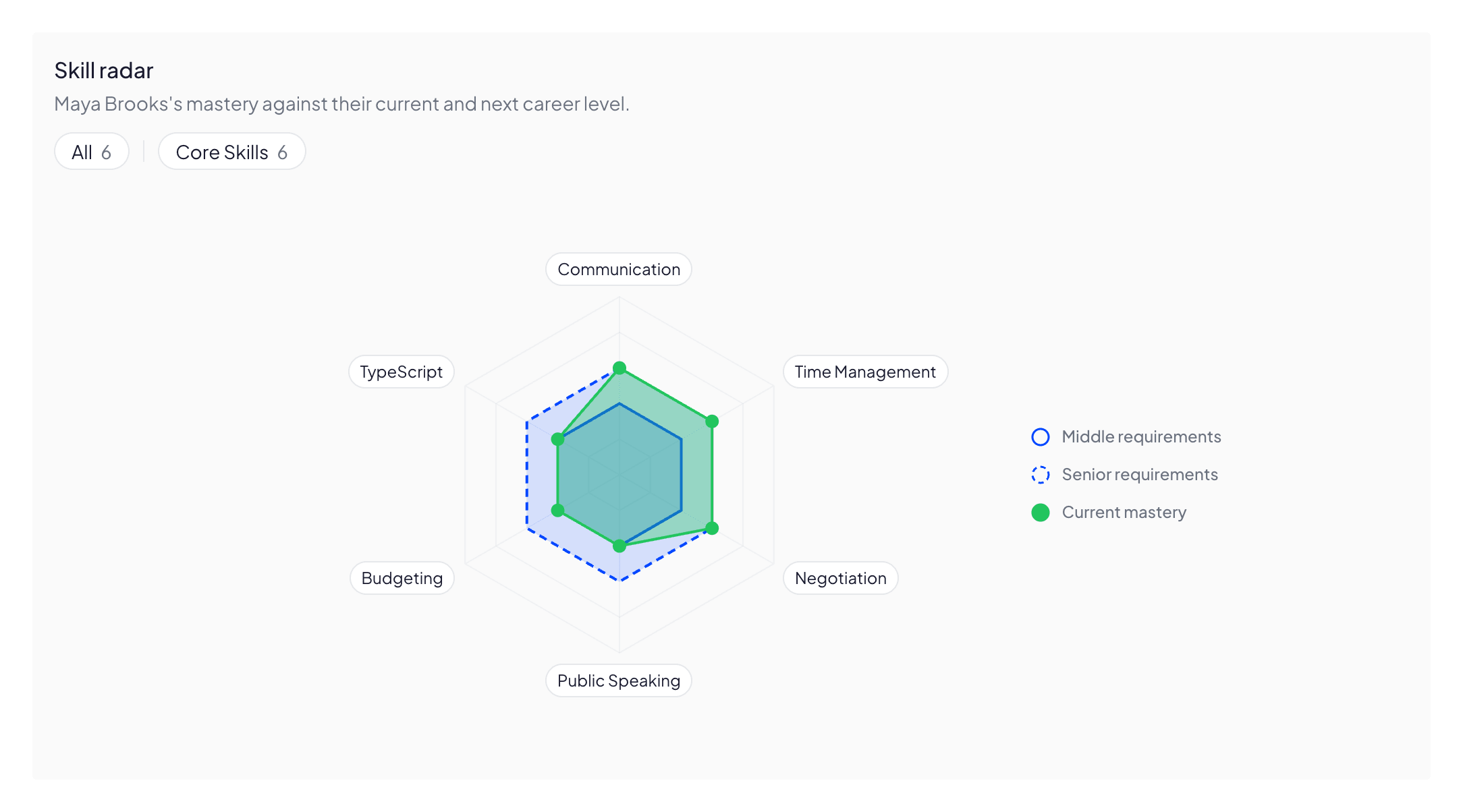
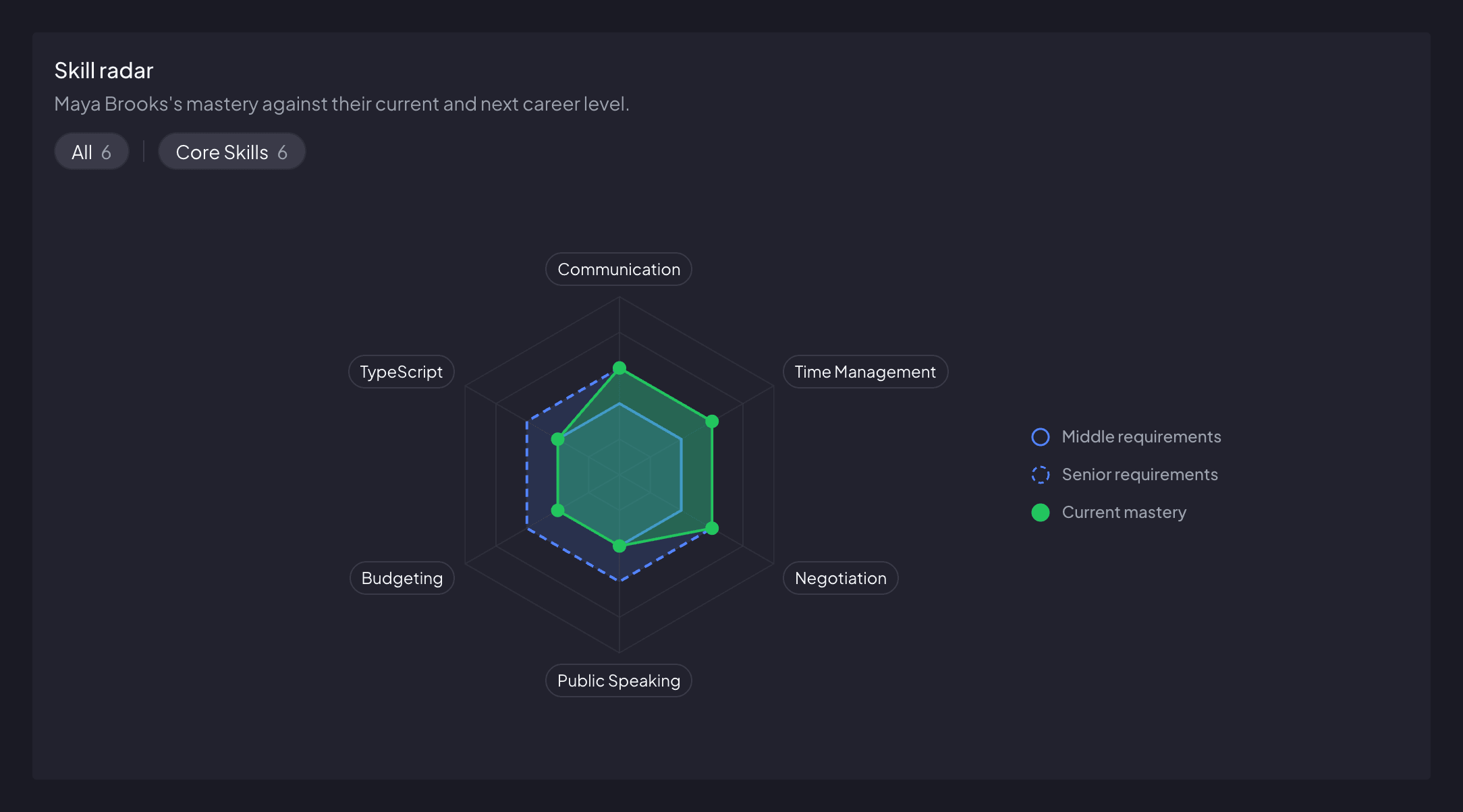
On the Growth page. Any employee with a department, a career level and a rung above theirs gets one: their readiness for the next level, a radar plotting their latest assessed mastery against two rings — what their current level expects and what the next one does — and the gaps still to close, biggest shortfall first. Employees open their own from the sidebar; admins open anyone’s from that person’s profile. Admins also get the department matrix and a dashboard that rolls everything up — average mastery across the org, career-level distribution per department, and how many people are overdue for a review.

Readiness is a plain ratio, not a hunch: of the skills their department requires at the next level, the share where their latest completed assessment already meets that level’s expectation. The admin dashboard ranks who is closest to their next rung. When an assessment shows someone meets every requirement, completing it offers to promote them, and an admin can also change their career level on their profile at any time, behind a confirmation step. The employee is emailed about the promotion, with no admin name attached; an admin who changes the level directly can choose not to send it.

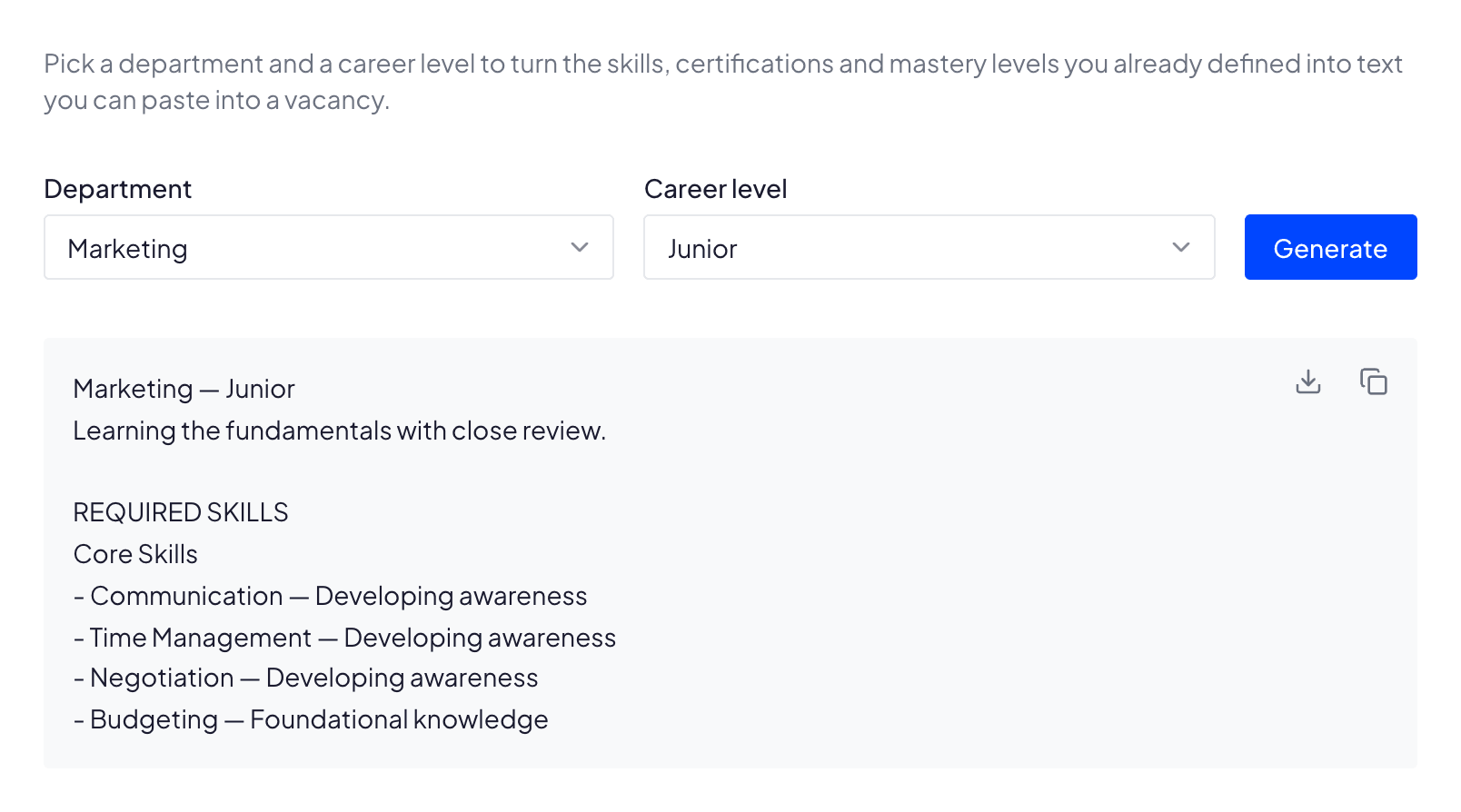
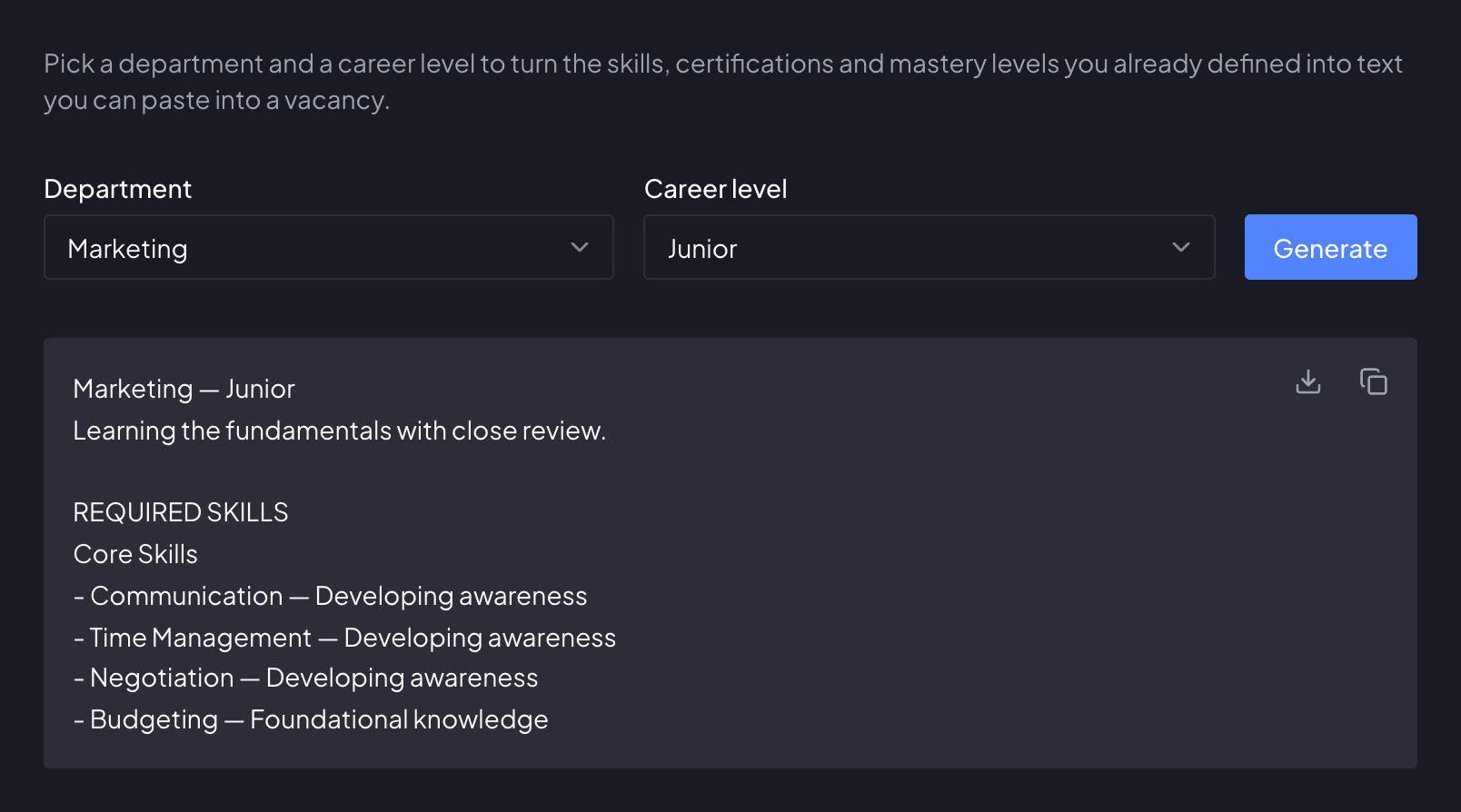
From the framework you already built. In the hiring toolkit an admin picks a department and a career level and gets vacancy text back: the required skills grouped by your own categories, each written out at the mastery that level expects, plus every certification the level inherits, labeled with the rung it starts at. Copy it, or download it as a .txt, and paste it into your job posting.

By invitation. An admin sends an email invite — each link is valid for 7 days — and can pre-assign the person’s department and career level, so they land straight in your workspace already placed on the framework.

Yes. Every organization is isolated in the database itself, so your skills, assessments and people data are only ever visible to your own members. Inside your workspace the management views — dashboard, framework, employee administration, assessment setup — are admin-only; a regular member sees their own Home and profile, their settings, and only the assessments they are personally part of.